
ProLiant ML570 Generation 4 Server Maintenance and Service Guide

Removal and replacement procedures 33
a.
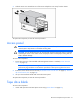
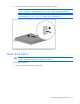
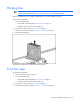
Lift and remove the plastic retainer guides from the front of the drive.
b. Repeat for the opposite plastic clip.
To replace the component, reverse the removal procedure.
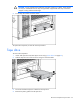
To install the plastic retainer guides onto the new tape drive, perform the following steps on both sides of
the drive.
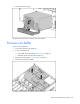
1. Align and insert a piece of wire into the proper mounting hole of the tape drive.
2. Slide a finger along the wire until the wire seats into the other mounting hole.
Rack bezel
To remove the component:
1. Power down the server (on page 28).
2. Do one of the following:
o Unlock and remove the bezel ("Tower bezel" on page 29).
o Extend the server from the rack (on page 28).
3. Remove the tape drive ("Tape drive" on page 32) or the tape drive blank (on page 31).
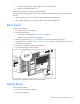
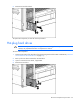
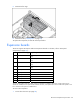
4. Using the Torx T-15 screwdriver ("Rear panel components" on page 78), remove the three screws on
each side of the rack bezel.
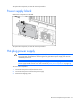
5. Push down on the latch connected to the media bay.
6. Pull the rack bezel away from the chassis.
To replace the component, reverse the removal procedure.
Media bezel
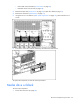
To remove the component:
1. Power down the server (on page 28).
2. Do one of the following: