
ProLiant ML570 Generation 4 Server Maintenance and Service Guide

Removal and replacement procedures 32
CAUTION: Always populate each media bay with either a device or a blank. Proper airflow
can only be maintained when the bays are populated. Unpopulated drive bays can lead to
improper cooling and thermal damage.
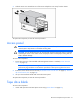
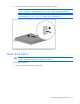
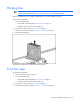
2. Pull the tape drive blank out of the chassis.
To replace the component, reverse the removal procedure.
Tape drive
To remove the component:
1. Unlock and open the tower bezel (tower servers only) ("Tower bezel" on page 29).
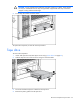
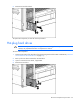
2. Slide the tape drive out of the server far enough to reach the cables.
3. Disconnect the data and power cables from the tape drive.
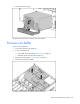
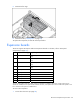
4. Remove the plastic guides from the tape drive: