
ProLiant ML570 Generation 3 Server User Guide

Server cabling 80
Server cabling
In this section
Storage device cabling guidelines............................................................................................................ 80
Cable connector identification ................................................................................................................. 80
Tape drive cabling to the USB port........................................................................................................... 81
SAS cabling .......................................................................................................................................... 82
SCSI cabling.......................................................................................................................................... 82
RILOE II cabling ..................................................................................................................................... 84
Storage device cabling guidelines
CAUTION: To prevent damage to the equipment, be sure that the server is powered down, all cables are
disconnected from the back of the server, and the power cord is disconnected from the grounded (earthed)
AC outlet before installing devices.
CAUTION: To prevent damage to electrical components, properly ground the server before beginning any
installation procedure. Improper grounding can cause electrostatic discharge.
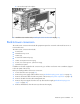
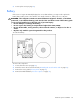
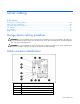
Cable connector identification
Item Description
1 PCI Hot-Plug board
2 USB option
3 RILOE II
4 Fan board signal