
ProLiant ML570 Generation 3 Server User Guide

Hardware options installation 74
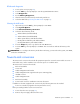
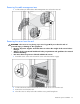
b.
Be sure the snap locks in place.
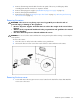
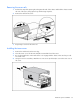
5. Install the server into the rack ("Installing the server into the rack" on page 37).
Rack-to-tower conversion
The rack-to-tower conversion kit includes all equipment required to convert the rack model server into a
tower model server.
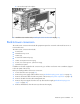
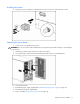
The rack-to-tower conversion kit includes:
• Tower bezel
• Painted tower top cover
• Casters (4)
• Tower bezel retention clips (2)
• Caster screws [8-32 Torx T-15 (12)]
• Tower cover screws [6-32 x 1/4 Torx T-15 (2)]
• Painted access panel
In addition to the items supplied in the conversion kit, you will also need a Torx T-15 screwdriver (clipped
to the rear panel of the server)
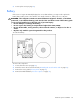
Before proceeding with the rack-to-tower conversion:
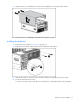
1. Power down the server (on page 27).
2. Remove the power supply cables from the server ("Redundant hot-plug power supply" on page 49).
3. Remove all external cables from the rear panel of the server ("Rear panel components" on page 10).
4. Remove all cables from the cable management arm.
5. Remove all power supplies from the server (to decrease the weight) ("Redundant hot-plug power
supply" on page 49).
6. Remove all hard drives from the server (to decrease the weight).