
ProLiant ML570 Generation 3 Server User Guide

Hardware options installation 52
Installing expansion boards
CAUTION: To prevent damage to the server or expansion boards, do not remove or install expansion
boards that are not hot-pluggable before powering down the server and disconnecting all AC power cords.
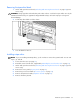
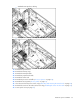
1. Remove the expansion slot cover ("Removing an expansion slot cover" on page 51).
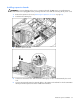
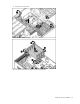
2. Push back the retaining clip.
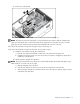
3. Install the expansion board.
4. Lock the PCI slot release lever and release the retaining clip if it does not automatically close and
lock.
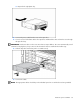
5. Connect any required internal or external cables to the expansion board. Refer to the documentation
that ships with the expansion board for additional information.