
ProLiant ML570 Generation 3 Server User Guide

Hardware options installation 48
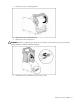
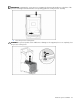
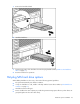
NOTE: Any hot-plug fan provided in the redundant hot-plug fan cage option kit can be installed in any of
the hot-plug fan slots. Fans are keyed to fit only one way in the slot.
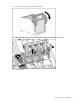
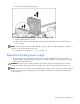
4. Observe the LED on each installed fan to be sure it is green.
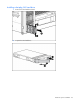
5. Observe the internal system health LED on the front panel to be sure it is green ("Front panel LEDs
and buttons" on page 9).
NOTE: If the front panel internal system health LED is not green after you install hot-plug fans, reseat the hot-
plug fan or refer to the troubleshooting section.
Replacing hot-plug fans
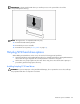
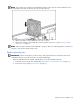
IMPORTANT: Remove and replace one fan at a time. If the system detects two fan failures while in full
redundant mode, the server will shut down to avoid thermal damage.
When all redundant fans are installed, individual fans can be hot-swapped at any time.
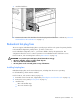
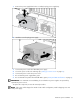
1. Extend the server from the rack, if applicable ("Extending the server from the rack" on page 27).
2. Remove the access panel ("Access panel" on page 31).