
ProLiant ML570 Generation 3 Server User Guide

Hardware options installation 47
3.
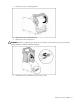
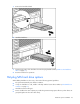
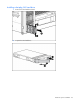
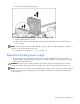
Install the hard drive.
4. Determine the status of the hard drive from the hot-plug SAS hard drive LED combinations ("SAS and
SATA hard drive LED combinations" on page 17).
Redundant hot-plug fans
The server supports redundant hot-plug fans to provide proper airflow to the system if a primary fan fails.
In the standard configuration, primary fans 2, 4, and 6 cool the server.
For the redundant configuration, fans 1, 3, and 5 are added to back up the primary fans. This
configuration allows the server to continue operation in non-redundant mode if a fan failure occurs.
For fan locations, refer to Hot-Plug Fan locations ("Fan locations" on page 25).
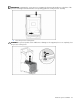
WARNING: To prevent personal injury from hazardous energy:
• Remove watches, rings, or other metal objects.
• Use tools with insulated handles.
• Do not place tools or metal parts on top of batteries.
Installing hot-plug fans
Redundant hot-plug fans can be inserted at any time, including when the server is operating.
For full redundancy, all fans must be installed.
For fan locations, refer to Fan Locations (on page 25).
1. Extend the server from the rack, if applicable ("Extending the server from the rack" on page 27).
2. Remove the access panel ("Access panel" on page 31).
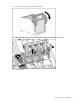
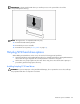
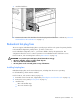
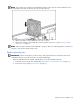
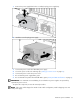
3. Install the fans:
• One in the mid-fan cage
• Two in the front fan cage