
ProLiant ML570 Generation 3 Server User Guide

Hardware options installation 44
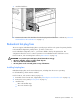
IMPORTANT: Always install a PPM when you install a processor. The system fails to boot if the
corresponding PPM is missing.
NOTE: The appearance of compatible PPMs may vary.
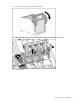
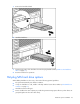
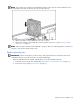
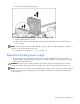
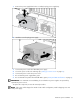
13. Reinstall the PPM retaining bracket.
14. Reinstall the processor air baffle.
15. Reinstall the access panel ("Access panel" on page 31).
Hot-plug SCSI hard drive options
When adding SCSI hard drives to the server, observe the following general guidelines:
• Hot-plug hard drives must be Ultra320 SCSI drives for optimum performance. Mixing Ultra320 SCSI
drives other drive types degrades the overall performance of the drive subsystem.
• When drives are groups together into the same drives array, drives must be the same capacity to
provide the greatest storage space efficiency.
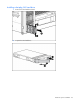
Installing hot-plug SCSI hard drives
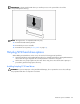
CAUTION: To prevent improper cooling and thermal damage, do not operate the server unless all bays
are populated with either a component or a blank.