
ProLiant ML570 Generation 3 Server User Guide

Server component identification 20
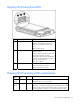
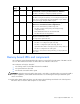
Activity
LED (1)
Online LED
(2)
Fault LED
(3)
Interpretation
On or
flashing
Flashing Off
Do not remove the drive. Removing a drive may
terminate the current operation and cause data loss.
The drive is rebuilding or undergoing capacity expansion.
On Off Off Do not remove the drive.
The drive is being accessed, but (1) it is not configured as part of an
array; (2) it is a replacement drive and rebuild has not yet started; or
(3) it is spinning up during the POST sequence.
Flashing Flashing Flashing
Do not remove the drive. Removing a drive may cause
data loss in non-fault-tolerant configurations.
One or more of the following conditions may exist:
• The drive is part of an array being selected by an array
configuration utility
• Drive Identification has been selected in HP SIM
• The drive firmware is being updated
Off Off On
The drive has been placed offline due to hard disk drive failure or
subsystem communication failure.
You may need to replace the drive.
Off Off Off One or more of the following conditions may exist:
• The drive is not configured as part of an array
• The drive is configured as part of an array, but it is a
replacement drive that is not being accessed or being rebuilt yet
• The drive is configured as an online spare
If the drive is connected to an array controller, you may replace the
drive online.
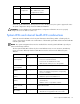
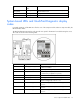
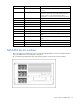
Memory board LEDs and components
Error indicators remain illuminated when the system is powered off so that the status of the LEDs can still
be seen. This matches the behavior of all the other error indicators in the server.
Error indicators will only be cleared if:
• The locking switch is locked after the board is reinstalled
• The system has been rebooted
• The board is removed from the system
CAUTION: When the memory board locking switch is unlocked in a mode that does not support hot-add or
hot-replace capabilities, audio alarms and visual alerts occur. Removing the memory board at this point
causes server failure.
To end the audio alarms and visual alerts, move the memory board locking switch back to the locked position.
This action does not result in data corruption or server failure.