
ProLiant ML570 Generation 3 Server User Guide

Server component identification 14
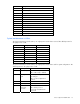
Position Description Function
S6
Invalid
configuration
Off = Normal
On = ROM treats system
configuration as invalid
S7 Reserved
S8 Reserved
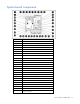
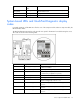
When the system maintenance switch position 6 is set to the On position, the system is prepared to erase
all system configuration settings from both CMOS and NVRAM.
CAUTION: Clearing CMOS and/or NVRAM deletes configuration information. Be sure to properly
configure the server or data loss could occur.
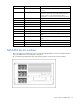
System LEDs and internal health LED combinations
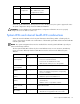
When the internal health LED on the front panel illuminates either flashing amber or flashing red, the
server is experiencing a health event. Combinations of illuminated system LEDs and the internal health LED
indicate system status.
NOTE: The system management driver must be installed for the internal system health LED to provide pre-
failure and warranty conditions.
The front panel health LEDs indicate only the current hardware status. In some situations, HP SIM may
report server status differently than the health LEDs because the software tracks additional system
attributes.
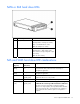
System LED and color
Internal health LED
color
Status
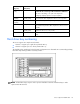
Processor failure,
socket X (amber)
Flashing red One or more of the following conditions may exist:
• Processor in socket X has failed.
• Processor X is not installed in the socket.
• ROM detected a failed processor during POST.
Processor failure,
socket X (amber)
Flashing amber Processor in socket X is in a pre-failure condition.
PPM failure, slot X
(amber)
Flashing red • PPM in slot X has failed.
• PPM is not installed in slot X, but the corresponding
processor is installed.
DIMM failure, slot X
(amber)
Flashing red • DIMM in slot X has failed.
• DIMM has experienced a multi-bit error.
DIMM failure, slot X
(amber)
Flashing amber
• DIMM in slot X has reached single-bit correctable
error threshold.
• DIMM in slot X is in a pre-failure condition.
DIMM bank error (all
slots in one bank,
amber)
Flashing red
The bank is not populated entirely or DIMMs do not all
match within the bank.
DIMM failure (all
slots, amber)
Flashing red • No valid or usable memory is installed in the system.
• The banks are not populated in the correct order.