
Novell NetWare 6 performance tuning guidelines for ProLiant servers

Novell NetWare 6 performance tuning guidelines for ProLiant servers
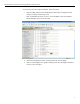
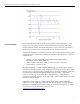
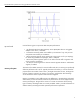
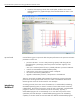
2. Check the time sampling interval of the trend update, and then click on Draw
Selected Graphs for a graphical display of the selected element as shown in the
next figure.
tips and tricks
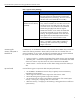
Use the following tips to improve the disk subsystem performance. The processor utilization
parameters to check are:
• processor utilization – a server’s total processing capacity used during the last
second (listed as a percentage). Check the processor utilization regularly. If the
utilization is
> 90% over a sustained period of time, it probably indicates a processor bottleneck.
• watch for errant NetWare Loadable Modules (NLMs).
• make sure the current service processes counter is adequate.
• use Direct Access Memory (DMA) devices.
• upgrade or add another processor, if the processor is the bottleneck.
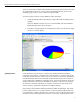
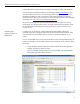
There are several tools available under NetWare for monitoring processor subsystem
performance and the general health of the server. Refer to the NetWare Performance
Monitoring Tools section of this document for more examples.
introducing
NetWare 6
A
ccordin
g
to Novell, the current version of NetWare 6 is a multithreaded, multitaskin
g
,
MP-enabled operating system. A thread is a stream of control that executes instructions
independently. This stream of instructions consists of tasks in the thread. A multithreaded
program is where two or more threads can execute concurrently. Typically, a
multithreaded program will not automatically run on more than one processor unless
specified by the code developer. A multithreaded operating system with multitasking
capability on the other hand can execute threads from different multithreaded programs
19