
HP ProLiant ML570 Generation 2 Server Setup and Installation Guide




Installing Hardware Options
3-28 HP ProLiant ML570 Generation 2 Server Setup and Installation Guide
HP CONFIDENTIAL
Writer: Wendy Wing File Name: d-ch3 Installing Hardware Options.doc
Codename: Time Bandit Part Number: 223960-002 Last Saved On: 8/22/02 10:51 AM
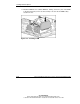
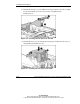
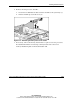
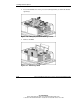
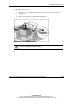
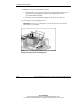
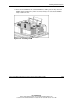
11. Install the new processor/heatsink assembly:
a. Determine the correct processor orientation by observing the three pins on
the processor retaining bracket and the corresponding holes on the
processor/heatsink assembly.
b. Insert the processor/heatsink assembly into the processor socket (1).
12. Secure the processor locking lever (2).
IMPORTANT: If the processor locking lever is not secured, the processor retaining
bracket will not close properly.
Figure 3-23: Installing the processor/heatsink assembly
and securing the processor locking lever