
HP ProLiant ML570 Generation 2 Server Setup and Installation Guide


System LEDs and Switches
C-20 HP ProLiant ML570 Generation 2 Server Setup and Installation Guide
HP CONFIDENTIAL
Writer: Wendy Wing File Name: l-appc System LEDs and Switches.doc
Codename: Time Bandit Part Number: 223960-002 Last Saved On: 8/22/02 11:22 AM
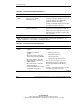
To erase all system configuration settings:
1. Power down the server.
2. Remove the access panel.
3. Set the position 6 lever to the On position.
4. Power up the server and wait for the system to display a message confirming that
the maintenance switch has been set.
5. Power down the server.
6. Reset the position 6 lever to the default Off position.
7. Power up the server.
8. Press the F9 key to run RBSU and reset all system configuration settings.
For instructions on using RBSU to reset system configuration settings, refer to
Chapter 8, “Server Configuration and Utilities.”