
HP ProLiant ML570 Generation 2 Server Setup and Installation Guide


Cabling the Server
HP ProLiant ML570 Generation 2 Server Setup and Installation Guide 7-13
HP CONFIDENTIAL
Writer: Wendy Wing File Name: h-ch7 Cabling the Server
Codename: Time Bandit Part Number: 223960-002 Last Saved On: 9/5/02 3:07 PM
IMPORTANT: The server ships with the drive cages cabled internally to SCSI connectors A
and B.
If you want to cable a SCSI device to SCSI connector A or B using the internal-to-external
SCSI cable assembly, you must first disconnect the appropriate drive cage cable. Once you
have disconnected a drive cage cable, you must cable it to a controller board to retain use of
that drive cage.
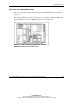
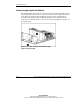
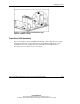
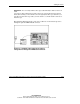
The following illustration shows a rack server cabled to an external storage device
through the optional VHDCI SCSI connector.
Figure 7-8: Standard cable routing of an external
storage device through the VHDCI SCSI connector