
HP ProLiant ML570 Generation 2 Server Setup and Installation Guide

PCI-X Technology
HP ProLiant ML570 Generation 2 Server Setup and Installation Guide 4-27
HP CONFIDENTIAL
Writer: Wendy Wing File Name: e-ch4 PCI-X Technology.doc
Codename: Time Bandit Part Number: 223960-002 Last Saved On: 8/22/02 10:57 AM
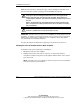
7. When the new expansion board is detected, NCMCON automatically asks if it
should configure and apply power to the slot.
— If you answer “Yes,” power is applied to the slot, the green LED illuminates,
and the status of the slot changes to READY.
— If you answer “No,” the console status does not change.
8. Press the Enter key to go to the Slot Options menu.
Novell NetWare Operating System Messages
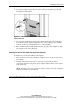
Novell NetWare uses the following list of messages to indicate errors during PCI Hot
Plug operations:
• Expansion Board Not Same—The expansion board is not the same as the
expansion board being replaced. The hot-plug replacement cannot continue.
• Card Functioning—The expansion board in the slot is currently functioning.
The Add/Replace is ignored.
• Driver in Use—The expansion board is currently in use. Do you wish to force
removal?
• Driver Loaded—The driver for the expansion board is currently loaded and
must be unloaded manually. Unload the driver and select again.
• General Failure—Could not perform the action because of a system failure.
• No Hot-Plug Driver—The hot-plug driver is not responding. Check to be sure
the device driver CPQSBD.NLM is loaded.
• Remove Not Supt—The Remove action is not supported for the expansion
board/slot.
• Switch Open—The slot cannot be initialized because the switch is open. Close
the switch and try Add/Replace again.
• Unknown Slot—The Add/Remove was performed on an unknown slot. Try the
command again.
• Replace Load Driver—The expansion board is successfully replaced. Please
load the driver at this time.