
HP ProLiant ML570 Generation 2 Server Setup and Installation Guide



PCI-X Technology
HP ProLiant ML570 Generation 2 Server Setup and Installation Guide 4-19
HP CONFIDENTIAL
Writer: Wendy Wing File Name: e-ch4 PCI-X Technology.doc
Codename: Time Bandit Part Number: 223960-002 Last Saved On: 8/22/02 10:57 AM
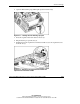
12. Connect any required cables to the PCI expansion board.
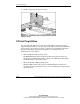
13. Press the PCI Hot Plug button or use the PCI Hot Plug Utility to power up the
PCI Hot Plug slot.
14. Wait until the amber LED is off and the green LED stays on to be sure that you
have installed the board properly.
15. Install other hardware options as needed or reinstall the access panel as described
in Chapter 3, “Installing Hardware Options.”
16. If you have a rack-model server, slide the server back into the rack and secure it
as described in Chapter 5, “Installing the Rack Server.”
17. Configure the expansion board using the documentation and software that ships
with the option.
NOTE: For information about using a PCI Hot Plug Utility for installations with system
drivers, refer to the “PCI Hot Plug Utilities” section in this chapter.