
HP ProLiant ML570 Generation 2 Server Setup and Installation Guide



Installing Hardware Options
3-72 HP ProLiant ML570 Generation 2 Server Setup and Installation Guide
HP CONFIDENTIAL
Writer: Wendy Wing File Name: d-ch3 Installing Hardware Options.doc
Codename: Time Bandit Part Number: 223960-002 Last Saved On: 8/22/02 10:51 AM
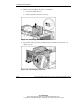
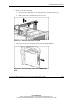
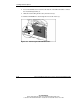
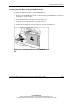
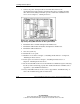
8. Loosen the thumbscrew located near the bottom of the CPU fan basket to release
the metal locking bracket (1).
9. Slide the metal locking bracket away from the fans (2).
10. Pull the CD-ROM drive out through the front of the chassis (3).
Figure 3-63: Removing the CD-ROM drive