
HP ProLiant ML570 Generation 2 Server Setup and Installation Guide


Installing Hardware Options
HP ProLiant ML570 Generation 2 Server Setup and Installation Guide 3-65
HP CONFIDENTIAL
Writer: Wendy Wing File Name: d-ch3 Installing Hardware Options.doc
Codename: Time Bandit Part Number: 223960-002 Last Saved On: 8/22/02 10:51 AM
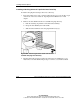
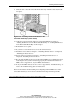
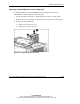
9. Slide the device into the removable media drive bay until the release latch locks
into place.
Figure 3-56: Installing a SCSI or IDE device in the
removable media bays (tower model)
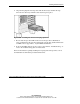
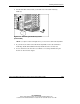
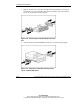
10. Cable the power and signal cables for your SCSI or IDE device. Refer to
“Cabling SCSI Devices in the Removable Media Bay” or “Cabling IDE Devices
in the Removable Media Bay” in this chapter.
11. Reinstall the access panel.
12. If you have a tower-model server, close the front bezel door.
13. Install the server. Refer to Chapter 5, “Installing the Rack Server” or Chapter 6,
“Installing the Tower Server.”
14. Power up the server. Refer to Chapter 5, “Installing the Rack Server” or
Chapter 6, “Installing the Tower Server.”
15. Be sure that the LED on the front of the SCSI or IDE device is illuminated green,
indicating that the system is functioning properly. For detailed information on
LEDs, refer to Appendix C, “System LEDs and Switches.”
16. If any of the LEDs indicates an error, refer to Appendix D, “Troubleshooting,” or
refer to the troubleshooting guide for instructions.
For more information about installing and configuring SCSI or IDE devices in the
removable media bays, refer to the documentation that ships with the option kit.