
HP ProLiant ML570 Generation 2 Server Setup and Installation Guide


Installing Hardware Options
3-64 HP ProLiant ML570 Generation 2 Server Setup and Installation Guide
HP CONFIDENTIAL
Writer: Wendy Wing File Name: d-ch3 Installing Hardware Options.doc
Codename: Time Bandit Part Number: 223960-002 Last Saved On: 8/22/02 10:51 AM
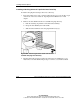
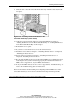
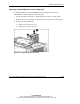
7. Remove the rails from one of the removable media bay blanks by removing all
four Torx T-15 screws in the rails. Note that the orientation of the left rail is the
reverse of the orientation of the right rail.
Figure 3-54: Removing the removable media bay blank
rails
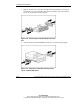
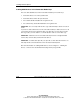
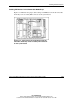
8. Affix the rails to the SCSI or IDE device. Be sure to orient the rails properly.
Figure 3-55: Affixing the removable media bay blank
rails to a SCSI or IDE device