
HP ProLiant ML570 Generation 2 Server Setup and Installation Guide


Installing Hardware Options
3-60 HP ProLiant ML570 Generation 2 Server Setup and Installation Guide
HP CONFIDENTIAL
Writer: Wendy Wing File Name: d-ch3 Installing Hardware Options.doc
Codename: Time Bandit Part Number: 223960-002 Last Saved On: 8/22/02 10:51 AM
Installing a Hot-Plug Universal Tape Drive into a Drive Bay
To install a hot-plug universal tape drive into a drive bay:
1. For tower-model servers only, open the front bezel door to access the drive cages
on the front of the server. Refer to “Opening the Front Bezel Door” in this
chapter.
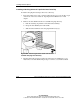
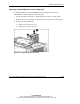
2. Remove the drive blank from the next available hot-plug drive bay:
a. Push the retaining clip inward to unlock the drive blank (1).
b. Grasp the drive blank by the front handle.
c. Slide the drive blank out of the hot-plug hard drive bay (2).
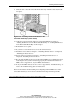
Figure 3-51: Removing the drive blank from the next
available hot-plug hard drive bay
3. Hot-plug universal tape drives require two drive bays for installation, so you
must remove two drive blanks. Repeat step 2 to remove a second drive blank.