
HP ProLiant DL580 Generation 2 Server and HP ProLiant ML570 Generation 2 Server Hot-Add Memory

6 HP ProLiant DL580 Generation 2 and HP ProLiant ML570 Generation 2 Server Hot-Add Memory
HP CONFIDENTIAL
Writer: Jennifer Hayward File Name: 325398-2.doc
Codename: Seabiscuit Part Number: 325398-002 Last Saved On: 5/28/03 9:18 AM
Hot-Add Memory Installation on HP ProLiant DL580
Generation 2 and ML570 Generation 2 Servers
Overview
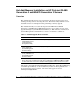
Hot-Add functionality allows you to upgrade the amount of memory in the server
without powering down or rebooting the server. This functionality eliminates server
downtime and service interruption when performing a memory upgrade.
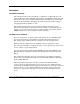
Hot-Add functionality is a feature developed for the HP ProLiant DL580
Generation 2 and HP ProLiant ML570 Generation 2 servers. These servers can be
upgraded through a System ROM, dated February 4, 2003 and later, and Advanced
System Management Controller Driver, version 5.28 and later, available at:
Table 1: Hot-Add Upgrade Driver Locations
Server Driver Location
ProLiant ML570 G2
and DL580 G2 servers
(Hot-Plug Memory
Configuration Utility)
h18023.www1.hp.com/support/files/server/us/download/17143.html
ProLiant ML570 G2
server (Advanced
System Management
Controller Driver)*
www.compaq.com/support/files/server/us/locate/7266.html
ProLiant DL580 G2
server (iLO Advanced
System Management
Controller Driver)*
www.compaq.com/support/files/server/us/locate/7263.html
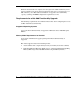
* Drivers must be version 5.28 or later to support Hot-Add memory. Install the drivers
which support the Hot-Add functionality after installing Microsoft® Windows® Server 2003.
If a driver earlier than version 5.28 is already installed, upgrade the driver and reboot the system.
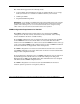
This feature joins Dual-Board Hot-Plug Memory Mirroring, Single-Board Mirroring,
and Online Spare Memory as advanced memory features on these platforms. For
more information on these features, refer to the white papers located at
www.hp.com/support/home.