
Compaq ProLiant ML530 Setup and Installation Guide

3-26 Compaq ProLiant ML530 Setup and Installation Guide
Compaq Confidential – Need to Know Required
Writer: Tricia Acevedo Project: Compaq ProLiant ML530 Setup and Installation Guide Comments:
Part Number: 139006-002 File Name: d-ch3 Installation.doc Last Saved On: 6/15/00 9:02 AM
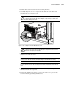
62 kg
137 lb
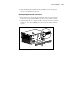
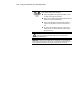
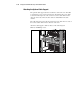
WARNING: This product is very heavy. To reduce the risk of
personal injury or damage to the equipment:
■ Remove all pluggable power supplies and modules to reduce
the weight of the product before lifting it.
■ Observe local occupational health and safety requirements and
guidelines for manual material handling.
■ Get help to lift and stabilize the product during installation or
removal, especially when the product is not fastened to the
rails.
■ Be cautious when installing the product in or removing the
product from the rack; the product will be unstable when not
fastened to the rails.
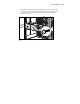
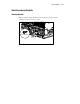
WARNING: To reduce the risk of personal injury or damage to the equipment,
do not use the system board basket handle to lift or move the Compaq
ProLiant ML530 server.
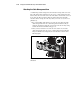
IMPORTANT: To make the server lighter and more manageable, do not install drives in
the server until after you load the server into the rack. You may also temporarily remove
power supplies and reinstall them after you have mounted the server in the rack.