
Compaq ProLiant ML530 Setup and Installation Guide

Server Installation 3-23
Compaq Confidential – Need to Know Required
Writer: Tricia Acevedo Project: Compaq ProLiant ML530 Setup and Installation Guide Comments:
Part Number: 139006-002 File Name: d-ch3 Installation.doc Last Saved On: 6/15/00 9:02 AM
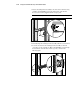
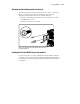
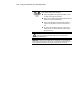
6. After attaching both mounting bracket assemblies to the rack, prepare
the server for mounting in the rack.
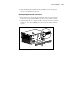
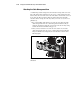
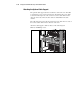
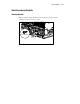
Attaching Component Rails to the Server
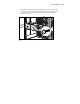
1. Place the tab on a component rail at the front of the server chassis. The
holes in the component rail will line up only one way with the chassis.
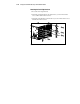
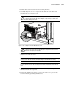
2. Attach the flat side of a component rail to each side of the server chassis
with five 8-32 x 1/4-inch Phillips screws. Do not use washers with the
screws.
Figure 3-16. Attaching a component rail to the ProLiant ML530 server