
Compaq ProLiant ML530 Setup and Installation Guide

Server Installation 3-11
Compaq Confidential – Need to Know Required
Writer: Tricia Acevedo Project: Compaq ProLiant ML530 Setup and Installation Guide Comments:
Part Number: 139006-002 File Name: d-ch3 Installation.doc Last Saved On: 6/15/00 9:02 AM
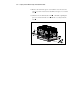
WARNING: Before beginning to work on the rack, be sure that the leveling
jacks are extended to the floor, that the full weight of the rack rests on the level
floor, and that either stabilizers are installed or that multiple racks are coupled
together for stability.
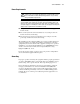
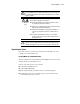
62 kg
137 lb
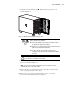
WARNING: This product is very heavy. To reduce the risk of
personal injury or damage to the equipment:
■ Remove all pluggable power supplies and modules to reduce
the weight of the product before lifting it.
■ Observe local occupational health and safety requirements and
guidelines for manual material handling.
■ Get help to lift and stabilize the product during installation or
removal, especially when the product is not fastened to the
rails.
■ Be cautious when installing the product in or removing the
product from the rack. The product will be unstable when not
fastened to the rails.
CAUTION: Do not place anything on the power cords or cables. Arrange them
so that no one may accidentally step or trip over them. Do not pull on a cord or
cable. When unplugging from the electrical outlet, grasp the cord by the plug.
Unpacking the Server
Unpack the server box and locate the materials and documentation necessary
to install your rack-mountable server.
Locating Materials and Documentation
All of the equipment needed to install the ProLiant ML530 server in the rack is
included with the rack and with the server.
Contents of the rack model server box include:
■ Compaq ProLiant ML530 server
■ Cables (www.compaq.com)
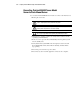
■ Rack-mounting hardware (numbers reference the following figure)
■ Template that can be used to mark the rack for proper attachment of the
rack mounting brackets (not shown)