
Compaq ProLiant ML530 Setup and Installation Guide

2-36 Compaq ProLiant ML530 Setup and Installation Guide
Compaq Confidential – Need to Know Required
Writer: Tricia Acevedo Project: Compaq ProLiant ML530 Setup and Installation Guide Comments:
Part Number: 139006-002 File Name: c-ch2 Installing Hardware.doc Last Saved On: 6/13/00 12:29 PM
Installing a Hot-Plug Power Supply
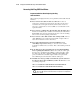
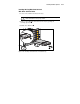
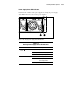
1. Remove the power supply blank panel by removing two Torx screws
and pulling the panel away from the server.
Figure 2-31. Removing a power supply blank panel
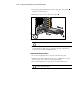
CAUTION: During server operation, it is necessary that unused power supply
bays contain a blank panel to ensure proper air flow.
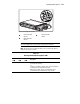
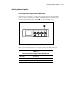
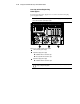
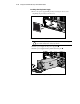
2. Push the power supply into the power supply bay .
3. Push the power supply handle up until it clicks into place .
1
2
Figure 2-32. Installing a hot-plug power supply