
Compaq ProLiant ML530 Setup and Installation Guide

Installing Hardware Options 2-7
Compaq Confidential – Need to Know Required
Writer: Tricia Acevedo Project: Compaq ProLiant ML530 Setup and Installation Guide Comments:
Part Number: 139006-002 File Name: c-ch2 Installing Hardware.doc Last Saved On: 6/13/00 12:29 PM
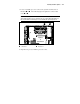
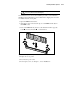
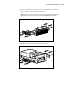
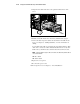
3. Locate an available processor socket on the system board. The slots are
numbered
and in the following figure. Populate the sockets in that
order,
and .
IMPORTANT: Use only 133-MHz front side bus Pentium III Xeon processors with
gold-colored heat sinks. Processor heat sinks are color coded to aid in differentiation of
the correct Pentium III. If the wrong processor is installed, the system may not boot.
Top View
of
System Board
21
Figure 2-4. Locating the processors (top view of system board shown)
Processor 1 Processor 2
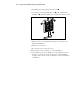
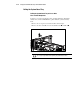
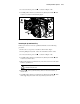
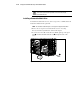
4. Align the new processor with the processor socket.