
Compaq ProLiant ML530 Setup and Installation Guide

5-8 Compaq ProLiant ML530 Setup and Installation Guide
Compaq Confidential – Need to Know Required
Writer: Tricia Acevedo Project: Compaq ProLiant ML530 Setup and Installation Guide Comments:
Part Number: 139006-002 File Name: f-ch5 Cabling Guide.doc Last Saved On: 6/12/00 1:19 PM
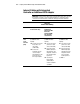
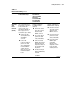
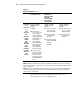
Table 5-1
Internal SCSI Cabling
continued
Controller Hot-Plug SCSI Hard Drives
in Internal Drive Cage
2/4 DAT Drive;
4/8 DAT Drive;
Internal TurboDAT
Autoloader;
8X SCSI CD-ROM;
4/16 TurboDAT;
15/30 DLT Drive
35/70 DLT Drive
Smart Array
431
Smart Array
221
Smart
Array 3200
Smart
Array 4200
64-Bit/
66-MHz
Dual
Channel
Wide Ultra3
SCSI
Adapter
64-Bit Dual
Channel
Wide Ultra2
SCSI
Adapter
Shipping configuration
(no additional cables
required):
See NOTE 3.
■ Either the blue
color-coded or yellow
color-coded 40”
point-to-point 68-pin
cables (155072-001,
155072-002) can be
used. The blue
color-coded cable
ships standard in the
system. The yellow
color-coded cable
ships in additional
drive cage option kit.
■ Connect either 40”
point-to-point 68-pin
cable from controller
board to the SCSI
Input connector of the
hard drive backplane
board.
Shipping configuration
(no additional cables
required):
■ Use 2-device 68-pin,
yellow color-coded
cable (157855-001)
■ Connect cable from
controller board to
tape drive.
■ Use 50-pin to 68-pin
adapter (199618-001)
if needed.
See NOTE 1.
Shipping configuration
(no additional cables
required):
■ Use 2-device 68-pin,
yellow color-coded
cable (157855-001)
■ Connect cable from
controller board to
Tape drive.
NOTE 1: If additional 50-pin to 68-pin adapters are needed, order kit 212055-001.
NOTE 2: While this configuration is supported, it is considered non-standard. This is why the color coding of
the cable and connector do not match. The color coding assumes the more likely cabling of removable media
devices to SCSI Port B.
NOTE 3: The excess cable length necessary to reach the connector on the controller board is bundled inside
the system board tray. Simply disconnect the cable from the integrated SCSI connector and unbundle the
cable to reach the controller board.
For additional information on internal and external cabling, contact
www.compaq.com and search for cabling guidelines.