
Compaq ProLiant ML530 Setup and Installation Guide

Cabling Guidelines 5-7
Compaq Confidential – Need to Know Required
Writer: Tricia Acevedo Project: Compaq ProLiant ML530 Setup and Installation Guide Comments:
Part Number: 139006-002 File Name: f-ch5 Cabling Guide.doc Last Saved On: 6/12/00 1:19 PM
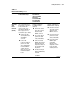
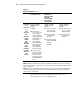
Table 5-1
Internal SCSI Cabling
continued
Controller Hot-Plug SCSI Hard Drives
in Internal Drive Cage
2/4 DAT Drive;
4/8 DAT Drive;
Internal TurboDAT
Autoloader;
8X SCSI CD-ROM;
4/16 TurboDAT;
15/30 DLT Drive
35/70 DLT Drive
Integrated
SCSI
Port B
Controller
(Yellow)
The recommended use for
the SCSI Port 2 controller is
for the external SCSI
connector cable or the
removable media with one
drive cage present. If a
second drive cage is added:
■ Remove the cable
currently attached to
SCSI PORT B
connector.
■ Connect 40”
point-to-point 68-pin,
yellow color-coded
cable (155072-002)
from SCSI PORT B
output to the SCSI
Input connector of the
hard drive backplane
board.
Shipping configuration
(no additional cables
required):
■ Remove the external
SCSI cable currently
attached to SCSI
PORT B connector.
■ Use 2-device 68-pin,
yellow color-coded
cable (157855-001)
■ Connect from SCSI
PORT B output (yellow
label indicator) of the
integrated controller to
the removable media
bay devices.
■ Use 50-pin to 68-pin
adapter (199618-001)
if needed.
See NOTE 1.
Shipping configuration (no
additional cables required):
■ Remove the external
SCSI cable currently
attached to SCSI
PORT B connector.
■ Use 2-device 68-pin,
yellow color coded
cable (157855-001)
■ Connect from SCSI
PORT B output
(yellow label
indicator) of the
integrated controller
to the removable
media bay devices.
continued