
Compaq ProLiant ML530 Setup and Installation Guide
4-6 Compaq ProLiant ML530 Setup and Installation Guide
Compaq Confidential – Need to Know Required
Writer: Tricia Acevedo Project: Compaq ProLiant ML530 Setup and Installation Guide Comments:
Part Number: 139006-002 File Name: e-ch4 Configuration and Utilities.doc Last Saved On: 6/12/00 4:14 PM
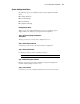
Setting Power-On Defaults
You can set and change the Power-On features at any time.
1. Select System Configuration from the Main menu.
2. Select Power-On Defaults.
3. Set the current date in the format:
MM-DD-YYYY
4. Set the correct time in the format:
HH:MM:SS
5. Set the Power-On Num Lock state:
( ) OFF
(*) ON
* This activates the numeric keypad when the computer is powered on.
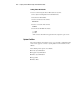
System Partition
The system partition option allows you to copy and delete configuration files,
and to create, upgrade, or delete a system partition on the hard drive for the
utilities.
The following menu options are available:
■ Create System Partition
■ Upgrade System Partition
■ Delete System Partition
■ Copy Files
■ Delete Files