
ProLiant ML530 Generation 2 Server Setup and Installation Guide

System LEDs and Switches
HP ProLiant ML530 Generation 2 Server Setup and Installation Guide C-11
HP CONFIDENTIAL
Writer: Richard O. Heath File Name: l-appc System LEDs and Switches.doc
Codename: Seattle Slew Part Number: 225579-002 Last Saved On: 1/8/03 3:23 PM
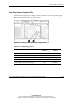
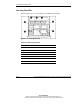
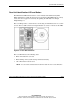
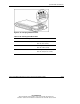
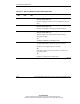
The hot-plug fan LEDs indicate the following conditions:
• Green = The fan is operating normally.
• Amber = The fan has failed.
• Off = The fan is not installed, has no power, or is not properly seated.