
ProLiant ML530 Generation 2 Server Setup and Installation Guide

HP ProLiant ML530 Generation 2 Server Setup and Installation Guide C-1
HP CONFIDENTIAL
Writer: Richard O. Heath File Name: l-appc System LEDs and Switches.doc
Codename: Seattle Slew Part Number: 225579-002 Last Saved On: 1/8/03 3:23 PM
C
System LEDs and Switches
This appendix provides information about locating and using system LEDs and
switches in the HP ProLiant ML530 Generation 2 server. For additional information
about troubleshooting procedures, see Appendix D, “Troubleshooting.”
System LEDs
HP ProLiant ML530 Generation 2 servers contain LEDs that indicate the status and
settings of hardware components. This section discusses the following types and
locations of LEDs:
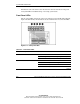
• Front panel
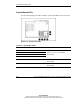
• System board
• Memory board
• PCI-X Hot Plug
• Expansion slot speed
• Hot-plug power supply
• Hot-plug fan
• Embedded NIC connector (RJ-45)
• Rear UID (Unit Identification LED)
• Hot-plug hard drive