
ProLiant ML530 Generation 2 Server Setup and Installation Guide

Contents
xiv HP ProLiant ML530 Generation 2 Server Setup and Installation Guide
HP CONFIDENTIAL
Writer: Richard O. Heath File Name: a-frnt.doc
Codename: Seattle Slew Part Number: 225579-002 Last Saved On: 1/8/03 2:56 PM
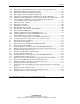
7-1 System Board Connectors .........................................................................................7-3
7-2 Power Backplane Connectors....................................................................................7-4
7-3 Required Cables ........................................................................................................7-5
8-1 RBSU Default Settings..............................................................................................8-8
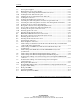
C-1 Front Panel LEDs ..................................................................................................... C-2
C-2 System Board LEDs ................................................................................................. C-4
C-3 External Expansion Slot LEDs................................................................................. C-5
C-4 Internal Expansion Slot LEDs and PCI Hot Plug Button......................................... C-6
C-5 PCI-X Expansion Slot LEDs.................................................................................... C-7
C-6 Expansion Slot Speed LEDs..................................................................................... C-8
C-7 Power Supply LEDs ................................................................................................. C-9
C-8 Hot-Plug Fan LEDs................................................................................................ C-10
C-9 Embedded NIC Connector Activity LEDs............................................................. C-12
C-10 Hot-Plug Hard Drive LEDs.................................................................................... C-15
C-11 Hot-Plug SCSI Hard Drive LED Combinations..................................................... C-16
C-12 System LEDs and Internal Health LED Status Combinations ............................... C-18
C-13 System Board Switches.......................................................................................... C-20
C-14 System Maintenance Switch (SW4)....................................................................... C-21
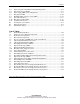
D-1 Diagnostic Steps.......................................................................................................D-5
D-2 Is the System Power LED Off? ................................................................................ D-6
D-3 Is the System Power LED Green?............................................................................D-7
D-4 Is the External Health LED Green?.......................................................................... D-8
D-5 Is the Internal Health LED Green?........................................................................... D-8
D-6 Is the Monitor Displaying Information?................................................................. D-10
D-7 Problems After Initial Boot .................................................................................... D-11
D-8 Troubleshooting Resources .................................................................................... D-15
E-1 Server Specifications................................................................................................ E-2