
ProLiant ML530 Generation 2 Server Setup and Installation Guide
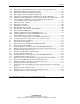
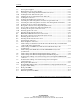
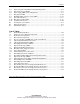
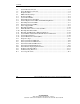

Contents
HP ProLiant ML530 Generation 2 Server Setup and Installation Guide xiii
HP CONFIDENTIAL
Writer: Richard O. Heath File Name: a-frnt.doc
Codename: Seattle Slew Part Number: 225579-002 Last Saved On: 1/8/03 2:56 PM
C-4 Internal expansion slot LEDs and PCI Hot Plug button ...........................................C-6
C-5 Expansion slot speed LEDs ......................................................................................C-8
C-6 Power supply LEDs (rack configuration) .................................................................C-9
C-7 Hot-plug fan LEDs..................................................................................................C-10
C-8 Embedded NIC connector activity LEDs................................................................C-12
C-9 Rear UID and button...............................................................................................C-13
C-10 Hot-plug hard drive LEDs ......................................................................................C-15
C-11 System board switches............................................................................................C-20
F-1 Locating the system battery ...................................................................................... F-2
F-2 Removing the battery................................................................................................ F-2
F-3 Installing the battery ................................................................................................. F-3
List of Tables
2-1 Rack-Mounting Hardware ...................................................................................... 2-10
3-1 Gaining Access to Internal Components................................................................... 3-4
3-2 Front Chassis Components ....................................................................................... 3-5
3-3 Rear Chassis Components......................................................................................... 3-6
3-4 Processor Sockets and PPM Slots on the System Board ........................................ 3-16
3-5 CPU and I/O Hot-Plug Fan Locations .................................................................... 3-30
3-6 CPU and I/O Hot-Plug Fan LEDs........................................................................... 3-32
3-7 PCI-X Expansion Slots and Buses.......................................................................... 3-35
3-8 Expansion Slot Speed LEDs ................................................................................... 3-36
3-9 Remote Insight Board Connectors .......................................................................... 3-45
3-10 Hot-Plug Power Supply Locations.......................................................................... 3-47
3-11 Power Supply LEDs................................................................................................ 3-51
3-12 Internal Storage Device Locations.......................................................................... 3-53
4-1 PCI-X Expansion Slots and Buses............................................................................ 4-3
4-2 Recommended PCI-X Expansion Slot Population Order ......................................... 4-5
4-3 Expansion Slot Speed LEDs ..................................................................................... 4-6
4-4 Internal Expansion Slot LEDs and PCI Hot Plug Button ....................................... 4-10
4-5 External Expansion Slot LEDs ............................................................................... 4-11
4-6 PCI-X Expansion Slot LEDs .................................................................................. 4-12
5-1 Power Supply Locations ......................................................................................... 5-12
5-2 Rear Panel Connectors and Components (Rack Server)......................................... 5-23
5-3 Front Panel LED Activity During the Power-On Sequence ................................... 5-27
6-1 Rear Panel Connectors and Components (Tower Server)......................................... 6-4
6-2 Front Panel LED Activity During the Power-On Sequence ..................................... 6-6