
ProLiant ML530 Generation 2 Server Setup and Installation Guide

Installing Hardware Options
3-66 HP ProLiant ML530 Generation 2 Server Setup and Installation Guide
HP CONFIDENTIAL
Writer: Richard O. Heath File Name: d-ch3 Installing Hardware Options.doc
Codename: Seattle Slew Part Number: 225579-002 Last Saved On: 1/8/03 3:00 PM
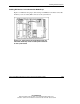
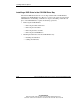
Installing a DVD Drive in the CD-ROM Drive Bay
The ProLiant ML530 Generation 2 server ships standard with a CD-ROM drive
installed in the CD-ROM drive bay. However, you have the option of removing the
CD-ROM drive and installing a DVD drive in its place. Installing a DVD drive in
place of the CD-ROM drive requires the following operations:
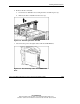
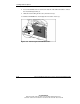
• Removing the CD-ROM drive
— Removing the CPU and I/O fans
— Removing the fan baskets
— Removing the drive air baffle
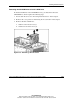
— Removing the CD-ROM drive
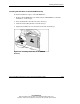
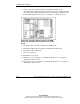
• Installing the DVD drive into the CD-ROM drive bay
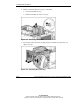
— Installing the DVD drive
— Cabling the DVD drive