
ProLiant ML530 Generation 2 Memory Installation Guide

Memory
HP ProLiant ML530 Generation 2 Server Memory Installation Guide 1-17
HP CONFIDENTIAL
Writer: Wendy Wing File Name: b-ch1 Memory.doc
Codename: Seattle Slew Part Number: 279985-002 Last Saved On: 1/9/03 11:54 AM
Installation, Removal, and Replacement Procedures
This section describes memory installation, removal, and replacement procedures.
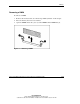
Removing a Memory Board
CAUTION: Electrostatic discharge can damage electronic components. Be sure you
are properly grounded before beginning any installation procedure.
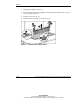
To remove a memory board:
1. Power down the server. Refer to “Powering Down the Server” in Chapter 3,
“Installing Hardware Options,” in the setup and installation guide on the
Documentation CD.
2. Open the hot-plug door. Refer to “Opening the Hot-Plug Door” in Chapter 3,
“Installing Hardware Options,” in the setup and installation guide on the
Documentation CD.