
ProLiant ML530 Generation 2 Memory Installation Guide

Memory
1-16 HP ProLiant ML530 Generation 2 Server Memory Installation Guide
HP CONFIDENTIAL
Writer: Wendy Wing File Name: b-ch1 Memory.doc
Codename: Seattle Slew Part Number: 279985-002 Last Saved On: 1/9/03 11:54 AM
Memory Configuration
Configuring your server’s memory system requires configuring both hardware and
software. To configure your memory:
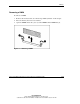
1. Remove the memory board. See “Removing a Memory Board” in this chapter.
2. Install the required DIMMs based on your desired memory mode. Be sure to
follow all DIMM installation requirements. See the “DIMM Installation
Requirement” section in this chapter for each mode.
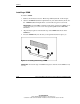
3. Install the memory board. See “Installing a Memory Board” in this chapter.
4. Test the DIMMs and configure the memory mode through RBSU:
a. Power on the server.
b. Press the F9 key to enter RBSU.
c. Select Advanced Options.
d. Change POST Speed Up to Disable.
e. Press any key to return to the RBSU main menu.
f. Select System Options.
g. Select Advanced Memory Protection.
h. Select the desired memory mode.
i. Press the ESC key twice to go back to the RBSU main menu.
j. Press the F10 key to exit RBSU. The server reboots and tests all memory in
the system.
k. Once the memory has been tested, re-enable POST Speed Up for faster
system boot, if desired.
IMPORTANT: To reconfigure the memory mode after initial setup, you must reboot the
system and enter RBSU.