
Microsoft BackOffice Small Business Server 4.5 Installation Instructions for Compaq Prosignia and ProLiant Servers

Microsoft BackOffice Small Business Server 4.5 Installation Instructions for Compaq Prosignia and ProLiant Servers 22
13J6-1000A-WWEN
Smart Components, each package consisting of a wrapped component with its installation logic
into a single, installable (interactive or silent) executable file.
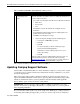
To obtain the appropriate Compaq support software for your system, follow these procedures:
1. Go to the Compaq Support Software website
(http://www.compaq.com/support/files/server/us/index.html).
2. Select your server from the Family drop-down list box, select Microsoft Windows NT 4.0
from the Operating System drop-down list box, and click the Go button. This procedure takes
you to the Locate page, listing the available software by categories.
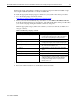
Click the appropriate category link for the software you want to download (see Table 9 for
category contents).
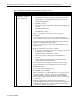
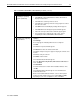
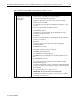
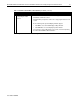
Table 9. Software by category contents
Category Software
Bundles (Drivers and Agents) Compaq Support Paq for Microsoft Windows NT 4.0,
Compaq Server Support (SSD) for Microsoft Windows
NT 4.0, and Compaq Management Agent bundles
Display Video drivers
Management Agents Compaq Foundation Agents, Compaq NIC Agents,
Compaq Server Agents, and Compaq Storage Agents
Management Applications and Utilities Compaq Insight Manager, Compaq Insight Manager
XE, Version Control Database, etc.
Network Network interface controller drivers and configuration
utilities
Storage SCSI and array controller drivers
System ROMPaqs/BIOS System ROM/BIOS
Utilities Compaq Integrated Management Log Viewer, Compaq
Integrated Management Display Utility, Compaq Cluster
Verification Utility, Compaq Power Down Manager,
Compaq Power Supply Viewer, Compaq Remote
Monitor Service, etc.
3. Click the software version link listed in the Current Version column.
4. Follow the online instructions to download the selected software.