
HP ProLiant ML370 Generation 3 Setup and Installation Guide

Installing Hardware Options
3-38 HP ProLiant ML370 Generation 3 Server Setup and Installation Guide
HP CONFIDENTIAL
Writer: Jennifer Hayward File Name: d-ch03 Installing Hardware Options.doc
Codename: Dizzy Devil Part Number: 281992-002 Last Saved On: 12/3/02 12:45 PM
Hot-Plug SCSI Hard Drives
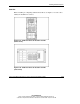
The server provides support for up to six internal hot-plug SCSI hard drives or four
internal hot-pug SCSI hard drives and one Universal Hot-Plug Tape Drive.
SCSI Hard Drive Installation Guidelines
Observe the following guidelines when adding SCSI hard drives. Refer to Chapter 7,
“Server Configuration and Utilities,” for additional information.
• The SCSI ID for each hot-plug hard drive is set automatically to the next
sequential ID number in a series beginning with ID0.
• If only one SCSI hard drive is used, install it in the bay with the lowest number.
• Refer to the user documentation for configuring internal or external drives.
• Hot-plug hard drives must be either Wide Ultra2 or Ultra3 SCSI types. Mixing
these types with other drive standards degrades the overall performance of the
drive subsystem.
• Drives must be the same capacity to provide the greatest storage space efficiency
when drives are grouped together into the same drive array.
CAUTION: Before removing a hard drive, refer to the Servers Troubleshooting
Guide for guidelines on hot-plug SCSI hard drive replacement.
• Add up to a maximum of 14 SCSI devices per channel.
• Each SCSI drive must have a unique address. The system automatically sets all
SCSI addresses for hot-plug drives.