
HP ProLiant ML370 Generation 3 Setup and Installation Guide

Installing Hardware Options
3-36 HP ProLiant ML370 Generation 3 Server Setup and Installation Guide
HP CONFIDENTIAL
Writer: Jennifer Hayward File Name: d-ch03 Installing Hardware Options.doc
Codename: Dizzy Devil Part Number: 281992-002 Last Saved On: 12/3/02 12:45 PM
Table 3-11 lists the 2-to-1 interleaving DIMM option kits available from HP for use
with the server. Use the option kit part number when ordering additional memory for
the server. Use the spare and component part numbers for reference when ordering
replacement parts or when contacting an authorized service provider.
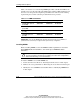
Table 3-11: DIMM Part Numbers
Description Option Kit Spare Component
512-MB DDR option kit
(2×256 MB)
300678-B21 300669-001 261583-031
1-GB DDR option kit
(2×512 MB)
300679-B21 300700-001 261584-041
2-GB DDR option kit
(2×1 GB)
300680-B21 300701-001 261585-041
4-GB DDR option kit
(2×2 GB)
300682-B21 300702-001 261586-051
IMPORTANT: Use only the DIMMs and option kits specified for the server. DIMMs not
specified for the server may not support online spare memory configuration.
Installing DIMMs
Before installing DIMMs, review the DIMM installation guidelines in “Standard
ECC DIMM Installation Guidelines” and “Online Spare DIMM Installation
Guidelines.”
CAUTION: Electrostatic discharge can damage electronic components. Properly
ground yourself before beginning any installation procedure. Refer to Appendix B,
“Electrostatic Discharge,” for more information.
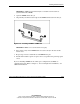
To install a DIMM in an available DIMM slot:
1. Power down the server. Refer to “Powering Down the Server” in this chapter.
2. Remove the access panel. Refer to “Removing the Access Panel” in this chapter.
3. Identify the correct DIMM slots and banks. Refer to “Identifying DIMM Slots”
in this chapter.