
HP ProLiant ML370 Generation 3 Setup and Installation Guide


Troubleshooting
HP ProLiant ML370 Generation 3 Server Setup and Installation Guide D-13
HP CONFIDENTIAL
Writer: Jennifer Hayward File Name: l-appd Troubleshooting.doc
Codename: Dizzy Devil Part Number: 281992-002 Last Saved On: 12/3/02 2:43 PM
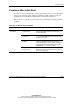
Problems After Initial Boot
Once the server has passed POST, you may still encounter errors, such as an inability
to load your operating system. Table D-7 identifies possible solutions to help you
troubleshoot server installation problems that occur after the initial boot.
Refer to the Servers Troubleshooting Guide for more information regarding software
problems.
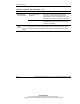
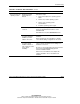
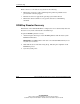
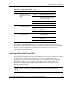
Table D-7: Problems After Initial Boot
Problem Possible Cause Possible Solution
SmartStart requirement
not performed.
Check the SmartStart Release Notes provided in
the SmartStart Online Reference Information on
the SmartStart CD.
The CD-ROM drive is
not working.
Check the IDE signal cable and power cable that
connect the CD-ROM drive to the system board
for proper connection.
Insufficient memory is
available.
A rare Insufficient Memory message may
display the first time SmartStart is booted on
certain unconfigured servers. Simply cold-boot the
machine with the SmartStart CD inserted in the
CD-ROM drive to correct the problem.
Server cannot load
SmartStart.
Existing software is
causing conflict.
Run the System Erase Utility. Read the caution in
this table. Refer to the instructions in the Servers
Troubleshooting Guide.
continued