
HP ProLiant ML370 Generation 3 Setup and Installation Guide


Troubleshooting
D-2 HP ProLiant ML370 Generation 3 Server Setup and Installation Guide
HP CONFIDENTIAL
Writer: Jennifer Hayward File Name: l-appd Troubleshooting.doc
Codename: Dizzy Devil Part Number: 281992-002 Last Saved On: 12/3/02 2:43 PM
• Problems After Initial Boot
Once the server has passed the POST, you may still encounter errors, such as an
inability to load your operating system. You are provided with instructions on
what to try and where to go for help when you encounter errors after the server
completes the POST.
• ROMPaq Disaster Recovery
During troubleshooting, it may become apparent that your system ROM is
corrupted. Because the server has redundant ROM capability, you can use the
backup ROM. If both ROMs are corrupted, you must perform the ROMPaq
disaster recovery procedure.
• Information Resources
This section provides a list of reference information available for the server.
For troubleshooting information beyond the scope of this guide, both general and
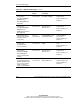
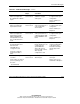
specific to the server, refer to Table D-8 at the end of this appendix.
When the Server Does Not Start
This section provides systematic instructions on what to try and where to go for help
for the most common problems encountered during initial Power-On Self-Test
(POST). The server must first complete this test each time you power up, before it
can load the operating system and start running software applications.
WARNING: There is a risk of personal injury from hazardous energy levels.
The installation of options, and the routine maintenance and service of this
product must be performed by individuals who are knowledgeable about the
procedures, precautions, and hazards associated with equipment containing
hazardous energy circuits.