
HP ProLiant ML370 Generation 3 Setup and Installation Guide


Installing the Rack Server
4-24 HP ProLiant ML370 Generation 3 Server Setup and Installation Guide
HP CONFIDENTIAL
Writer: Jennifer Hayward File Name: e-ch04 Installing the Rack Server.doc
Codename: Dizzy Devil Part Number: 281992-002 Last Saved On: 12/3/02 2:12 PM
Accessing the Server Rear Panel in the Rack
To access the server rear panel in the rack:
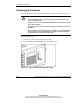
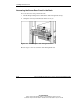
1. Lift the hinge-locking latch to unlock the cable management arm (1).
2. Swing the arm away from the back of the server (2).
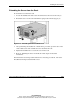
Figure 4-19: Unlocking the cable management arm
Reverse steps 1 and 2 to secure the cable management arm.