
HP ProLiant ML370 Generation 3 Setup and Installation Guide


Installing the Rack Server
4-22 HP ProLiant ML370 Generation 3 Server Setup and Installation Guide
HP CONFIDENTIAL
Writer: Jennifer Hayward File Name: e-ch04 Installing the Rack Server.doc
Codename: Dizzy Devil Part Number: 281992-002 Last Saved On: 12/3/02 2:12 PM
Registering the Server
You can register the server with the forms included with the server or refer to
www.compaq.com/register
Routine Maintenance and Upgrades
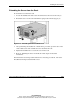
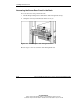
After the initial deployment, you may choose to install additional options or perform
maintenance and upgrade procedures. The procedures in this section explain how to
extend the server and access the server rear panel in the rack.
For information concerning routine maintenance and safety precautions, refer to the
Documentation CD shipped with the server.
Maintenance and Service Procedures
In addition to the material in this guide, the HP ProLiant ML370 Generation 3
Maintenance and Service Guide provides specific information required for general
maintenance and component replacement, including:
• Spare part numbers
• Removal and replacement procedures
• Diagnostic tools
To access the maintenance and service guide, refer to the Documentation CD or refer
to
www.hp.com/products/servers/platforms