
HP ProLiant ML370 Generation 3 Setup and Installation Guide


Installing the Rack Server
4-4 HP ProLiant ML370 Generation 3 Server Setup and Installation Guide
HP CONFIDENTIAL
Writer: Jennifer Hayward File Name: e-ch04 Installing the Rack Server.doc
Codename: Dizzy Devil Part Number: 281992-002 Last Saved On: 12/3/02 2:12 PM
IMPORTANT: Determine the server’s place in the rack before you start installing the rack
rails. To remind you of the proper placement of the server in the rack, refer to the Rack Builder
report you printed when you planned your rack configuration with the Rack Builder tools
provided with the rack.
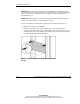
IMPORTANT: The template is two-sided (front and back) and printed with arrows that show
you where to insert rack rails on the front and back of the rack.
Use the rack template to identify the required space and location for the server:
1. Identify the front side of the template.
2. Starting at the bottom of the rack, or at the top of a previously mounted
component, match the hole pattern on the template with the holes on the vertical
rails of the rack. Secure the template against the front of the rack by pressing the
two push tabs through the matching holes.
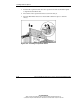
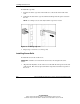
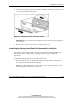
Figure 4-2: Measuring with the template on the front of
the rack