
HP ProLiant ML370 Generation 3 Setup and Installation Guide


HP ProLiant ML370 Generation 3 Server Setup and Installation Guide 4-1
HP CONFIDENTIAL
Writer: Jennifer Hayward File Name: e-ch04 Installing the Rack Server.doc
Codename: Dizzy Devil Part Number: 281992-002 Last Saved On: 12/3/02 2:12 PM
4
Installing the Rack Server
This chapter provides information and instructions for installing a ProLiant ML370
Generation 3 rack server. The installation sequence includes:
• Measuring with the template
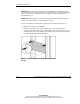
• Installing cage nuts in the rack frame
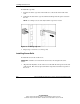
• Installing server rails
• Installing the spring-load rack rail assembly in the rack
• Installing the server in the rack
• Installing the cable management arm
• Connecting the power cord and peripheral devices
• Securing the power cord
• Securing cables with the cable management arm
• Powering up the server
• Installing an operating system
• Registering the server