
Compaq ProLiant ML370 G2 Service Update

Compaq ProLiant ML370 G2 Service Update 13
Rev. 1.0 Page 13 of 18
Remove and replace the processor
CAUTION: Ensure that you have the current version of the system ROM. Failure to flash your
ROM with the correct version before installing or replacing the processor causes system failure.
For the most current version of the ROM, visit the Compaq website:
http://www.compaq.com/support/files/server/us/
Remove
Step Action
1.
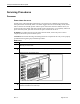
Power down the server.
2.
Unlock the front bezel (tower server only).
3.
Remove the access panel.
4.
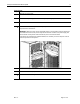
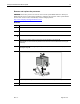
Release the heatsink retaining clip that secures the heatsink to the socket
IMPORTANT: Ensure that the clip clears the front and rear of the socket before removing the
assembly.
5.
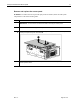
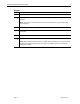
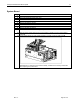
Release the socket lever by pulling it away from the processor and then all the way up to a
90-degree angle .
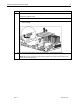
Pull the processor assembly from the server .
Repeat steps 4 through 6 to remove a second processor assembly, if necessary.