
Compaq ProLiant ML350 Tower-to-Rack Conversion Guide

Preparing the Server 1-17
Compaq Confidential – Need to Know Required
Writer: Doug Warren Project: Compaq ProLiant ML350 Tower-to-Rack Conversion Guide Comments:
Part Number: 201346-001 File Name: b-ch1 Preparing the Server.doc Last Saved On: 7/7/00 10:05 AM
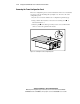
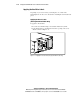
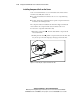
Applying the SCSI Drive ID Label
To apply the SCSI drive ID label:
1. Locate the SCSI drive ID label and the rack-mount front panel (included
in your kit).
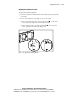
2. Do one of the following, depending on your server model:
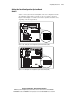
For non-hot-plug hard drive models, apply the label to the left of
the hard drive opening on the rack-mount front panel.
For hot-plug hard drive models, apply the label above the hard
drive opening on the rack-mount front panel.
SCSI ID
0
1
2
3
SCSI ID
0
1
2
3
1
2
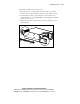
Figure 1-14. Applying the SCSI drive ID label