
Compaq ProLiant ML350 Tower-to-Rack Conversion Guide

Preparing the Server 1-15
Compaq Confidential – Need to Know Required
Writer: Doug Warren Project: Compaq ProLiant ML350 Tower-to-Rack Conversion Guide Comments:
Part Number: 201346-001 File Name: b-ch1 Preparing the Server.doc Last Saved On: 7/7/00 10:05 AM
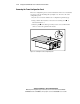
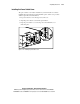
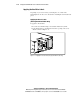
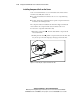
Installing the Power Switch Cover
The power switch cover must be installed on your rack-mount server before
installing the rack-mount front panel. Install the power switch cover provided
with the option kit as described below.
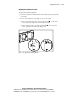
1. If a power switch cover is already present, remove it.
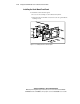
2. Align the power switch cover with the power button.
3. Snap the power switch cover onto the power switch until the cover
clicks into place.
Figure 1-12. Installing the power button cover