
Compaq ProLiant ML350 Tower-to-Rack Conversion Guide

1-4 Compaq ProLiant ML350 Tower-to-Rack Conversion Guide
Compaq Confidential – Need to Know Required
Writer: Doug Warren Project: Compaq ProLiant ML350 Tower-to-Rack Conversion Guide Comments:
Part Number: 201346-001 File Name: b-ch1 Preparing the Server.doc Last Saved On: 7/7/00 10:05 AM
Step 2
Powering Down the Server
To power down the server:
1. Schedule downtime for the server upgrade.
2. Perform a system backup of your server according to your operating
system requirements.
3. Bring your server offline according to your network operating system
requirements.
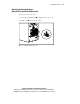
4. Power down the server, then power down all peripheral devices.
CAUTION: Never power down a storage system unless the server controlling it
has been powered down first. Doing so causes the controller to mark the drives
as failed.
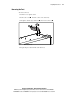
5. Disconnect the AC power cord from the AC outlet, then from the server.
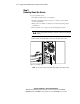
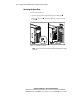
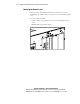
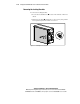
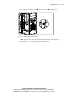
6. Label and disconnect all cables connected to the back of the server.
Figure 1-2. Removing cables
NOTE: The rear of the server may look different depending on the model purchased.