
Compaq ProLiant ML350 Server Overview

Compaq ProLiant ML350
Rev. 0.41 7 of 13
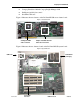
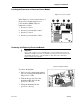
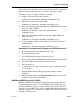
Figure 8: Heatsink Replacement
To install the new heatsink:
1. Place the heatsink (1) onto the
processor.
2. Secure the heatsink retainer clip to
the hook on the processor socket (3).
3. Secure the opposite side of the
heatsink retainer clip (2) to the hook
on the opposite side of the socket.
Removing and Replacing the Processor Power Module
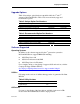
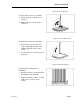
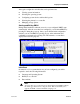
Figure 9: PPM Removal
To remove the old PPM:
1. Open the latches (1) on the PPM
socket.
2. Remove the module from the socket
on the system board.
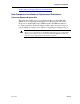
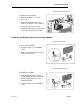
Figure 10: PPM Replacement
To install the new PPM:
1. Insert the new module (1) in the
socket making sure the notch on the
module aligns with a tab on the
mounting bracket.
2. Close the latches (2) on the PPM
socket.